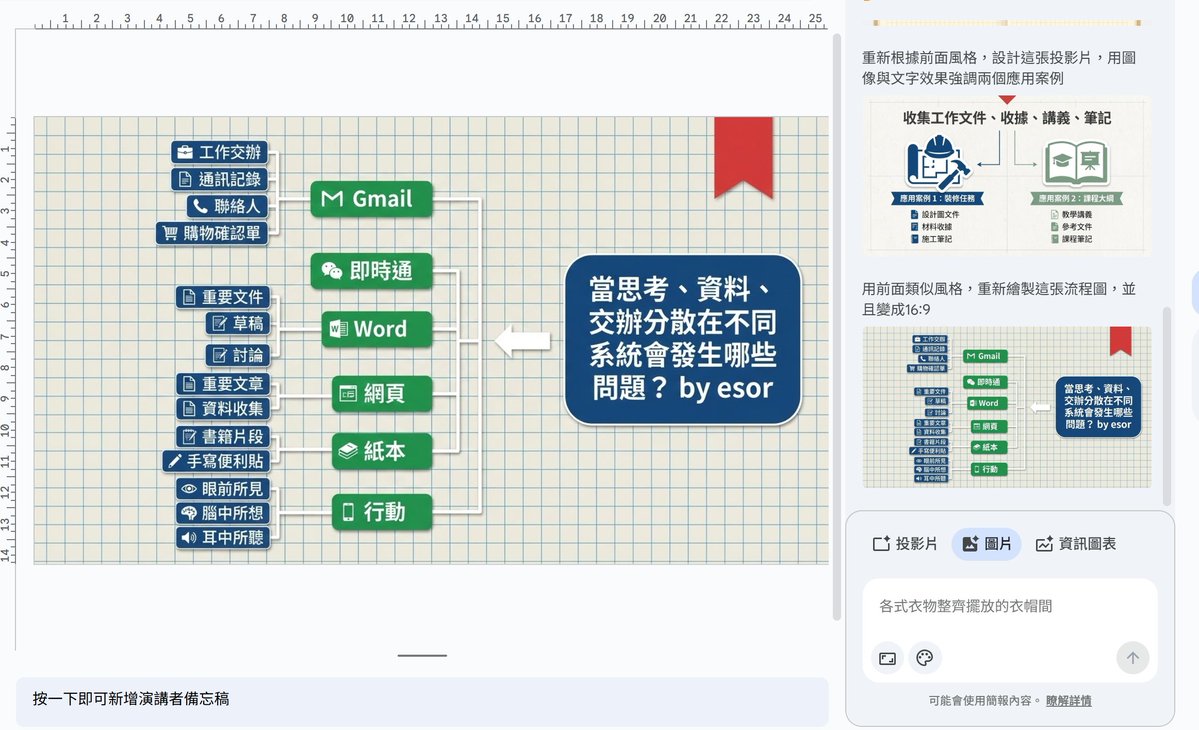
"You've already written your presentation content, but you're too lazy to redo the layout?" Try typing just one sentence and let the Nano Banana Pro AI on the right side of #GooglePresentations "re-skin" your old slides, directly creating a beautified presentation layout and infographics. Google Slides now has an AI drawing engine that can be used for formal presentations and infographics. The Nano Banana Pro (Gemini 3 Pro Image), launched last week, has been officially integrated into Google Slides and supports Chinese, making it ideal for creating visual outputs for courses and project illustrations. The Nano Banana Pro, with its powerful ability to create Chinese characters and diagrams, is even more useful to me when directly integrated into Google Presentations, because now I can: - For existing text presentations, directly ask AI to create diagrams and change them into #graphic layouts. - Directly generate #information charts using existing data content. - Add any desired #background image to an existing presentation using AI drawing. - AI can redraw more eye-catching versions of existing #images and #charts in presentations. - Imitating the previous #briefing style, we had AI create a new layout with a similar style. Below, I will share my actual test cases. In conclusion, the Nano Banana Pro feature in this Google Presentation is extremely useful. Our usual method of "beautifying the presentation layout" might be: find a new template → adjust the layout → re-paste the content → fine-tune the font and line spacing → adjust the colors again—a process that takes a lot of time. But now, it can be done like this: first, determine the content and structure using plain text, then simply submit it to Nano Banana Pro in the Slides panel: "Rearrange this page for me."