
Medeo 1.0 is finally online, and I believe this is the first truly meaningful video agent. I tried it and was quite amazed. Specific features include: - Supports highly flexible modification via natural language - Supports extremely long prompts exceeding 1,000 characters. - It offers excellent generalization capabilities, and can be used across various styles and verticals. I've written a basic tutorial and explored three really good sets of keyword suggestions 👇 The first 30 comments and reposts will receive an invitation code.
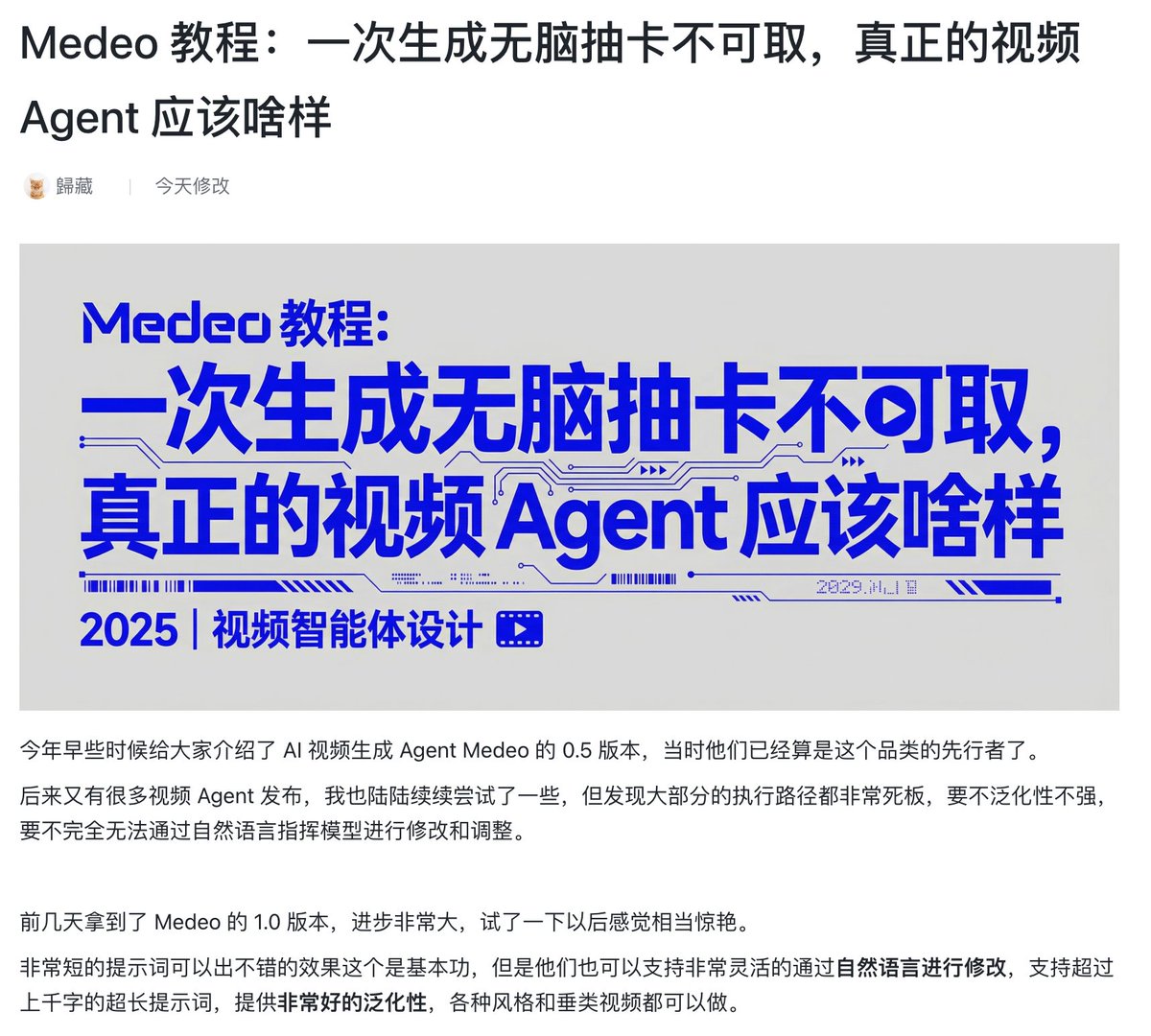
If you're too lazy mp.weixin.qq.com/s/ltoRVzX-6MHk…n 🚧, you canmedeo.app/create?v=2here: https://t.co/tLQ6ae2zz2 Try Medeo here: https://t.co/dC0n9gQF5W
Learn some basic operations 1️⃣ The first part is some of their templates. This is not just about the visual style; it includes a series of essential requirements for high-quality videos, such as visuals, dialogue, editing style, and music. You can choose one you like and apply it directly. 2️⃣ The second part is easy to understand. You can choose to generate a landscape or portrait video. Currently, only the two common aspect ratios, 16:9 and 9:16, are supported. 3️⃣ The third part supports a lot of custom settings. If you have high requirements for details, you can choose such as video length, specific type of output (only images or videos), picture style, and voiceover. 4️⃣ The last part is material uploading. It supports directly pulling text and images from the URL as materials, or you can upload the corresponding text and images yourself.

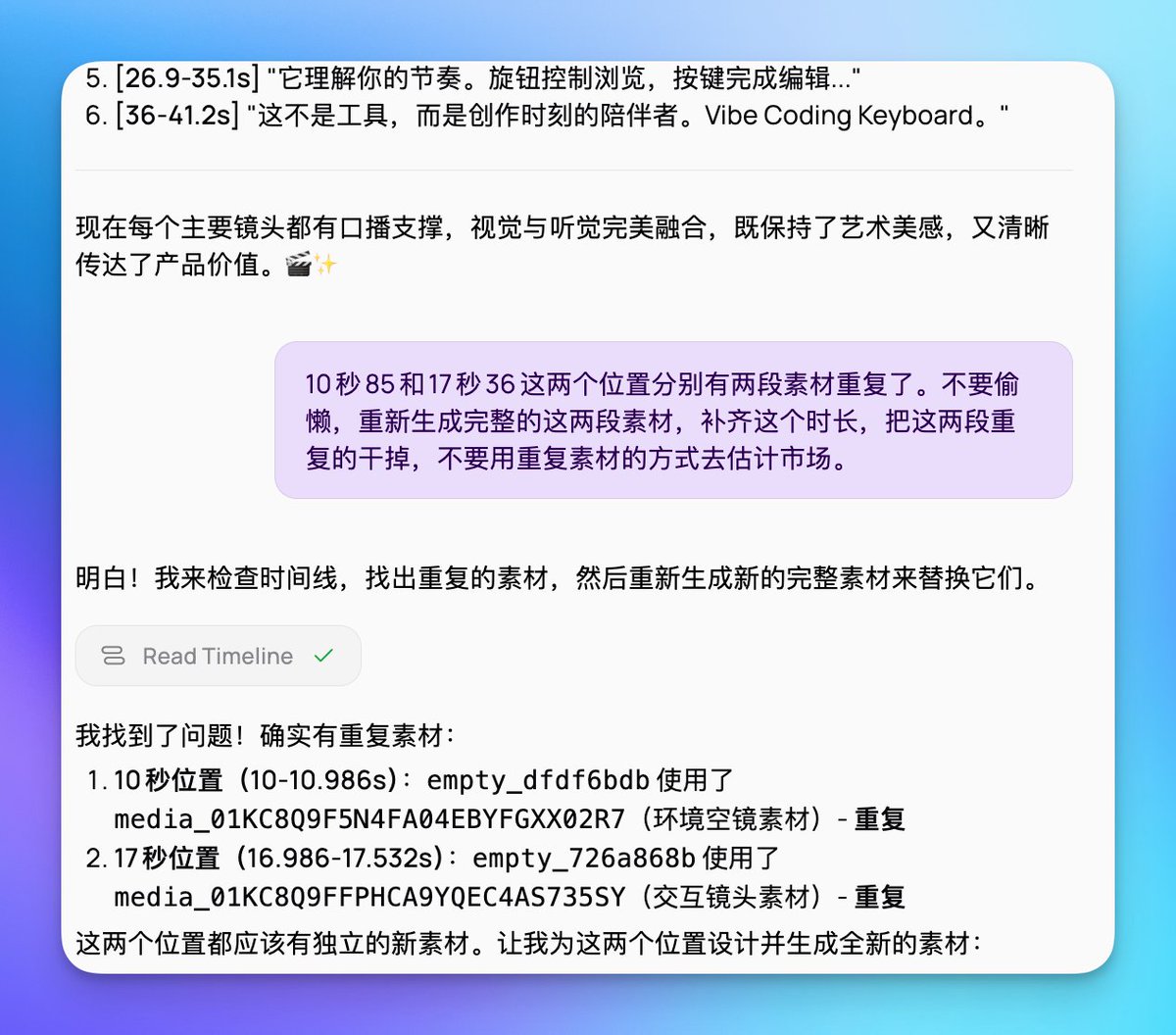
Basically, you can start creating by simply describing your video generation needs in the input box. Furthermore, you don't need to describe your requirements in too much detail here, because Medeo supports subsequent modifications to the generated video using natural language. For example, if there are two repeated clips, you can tell it the positions of those two clips, and then let it regenerate and replace them. It can perform these operations perfectly. Of course, an even simpler approach is to let him find the duplicate material himself and replace it.
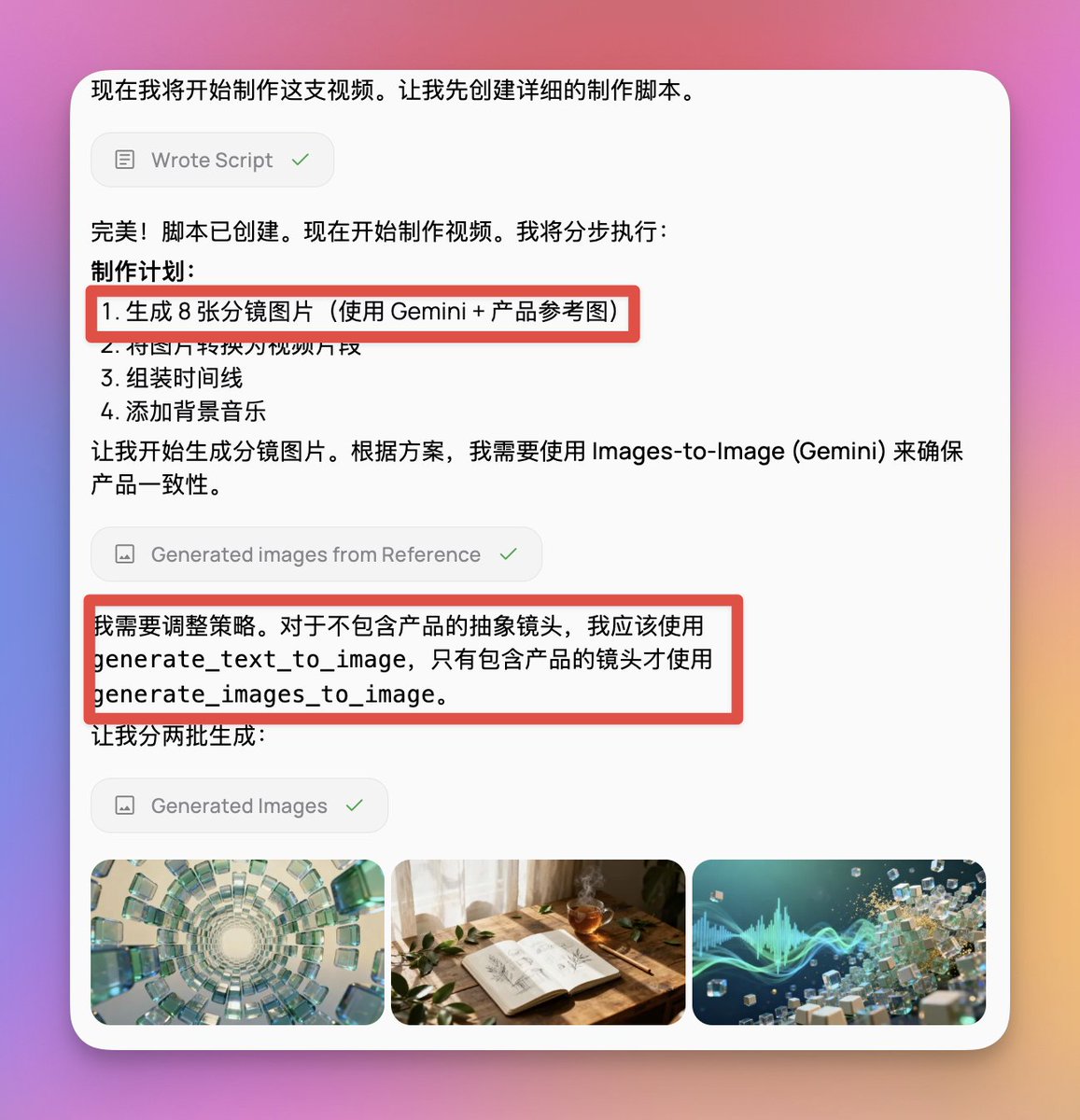
Medeo supports almost all common image and video models on the market. Due to its very strong generalization ability, you can specify which models it uses to generate images or videos using prompts, or directly use a model like Sora to generate a complete video. He even cleverly decides for himself when to use text-based images and when to use image-based images.
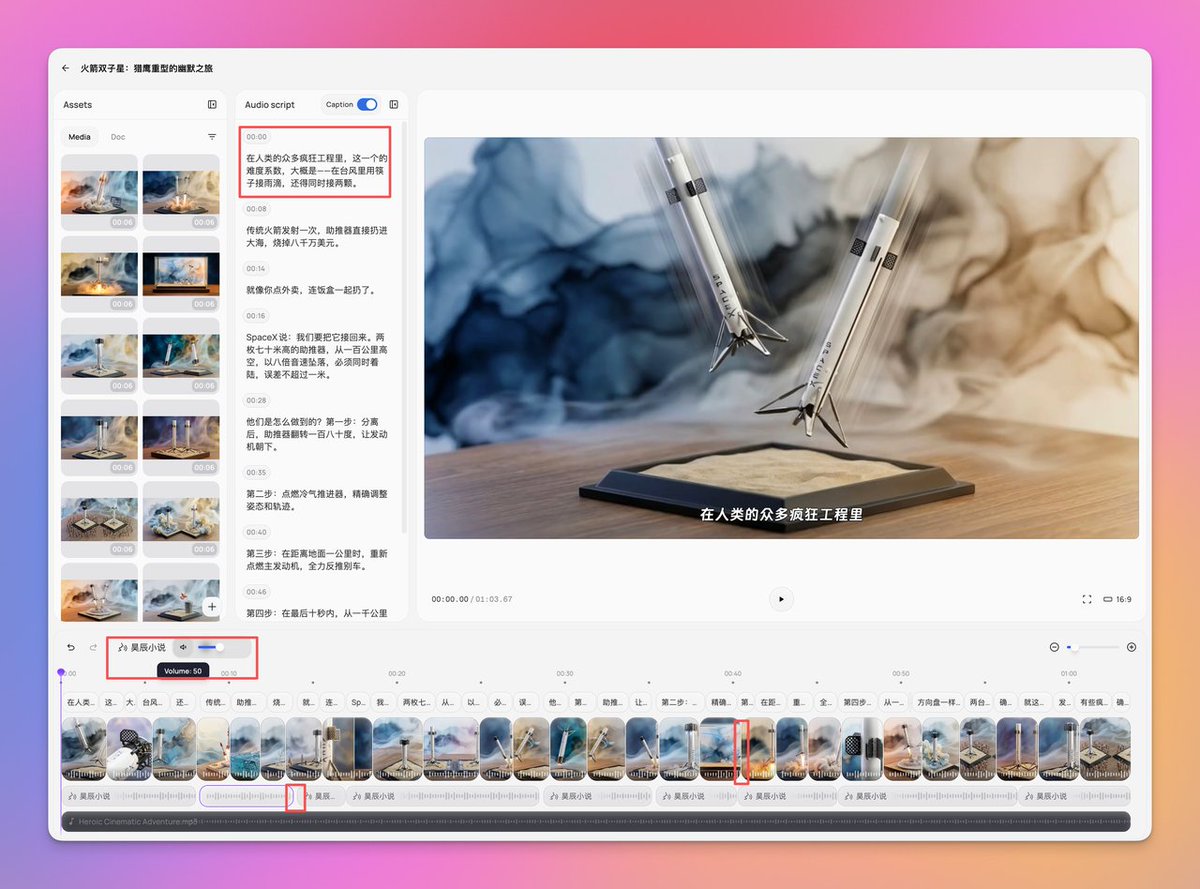
In addition to supporting natural language editing, Medeo also supports editing on the left side using your familiar clipboard, which is a unique experience. You can drag the boundary lines of each scene to control its duration, edit the corresponding text directly in the Audio script section, and even define the volume and duration of each audio segment.
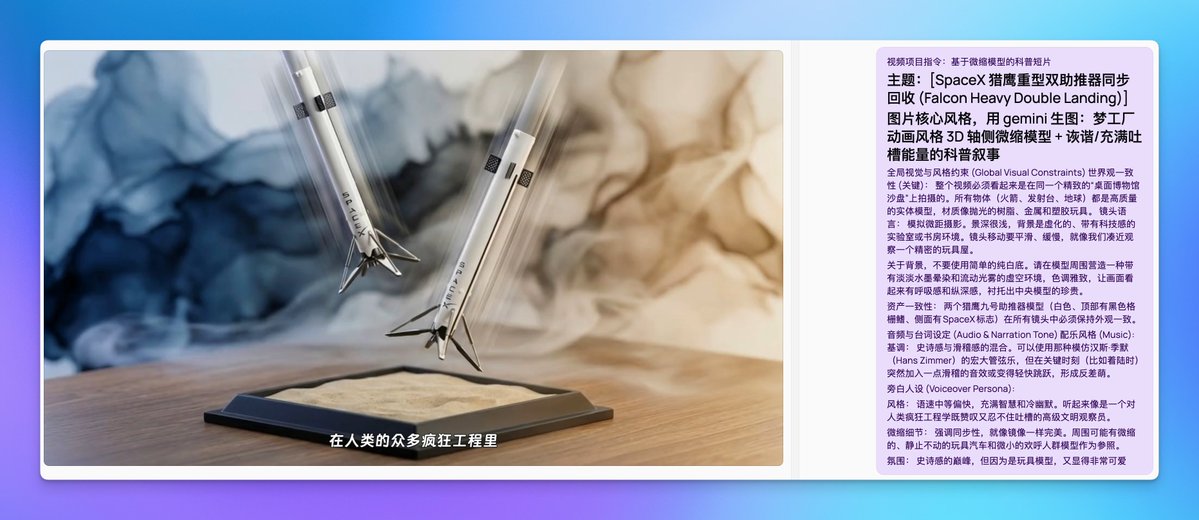
Miniature model style science videos The inspiration mainly came from the Nano Banana Pro prompts I made a few days ago. I wrote a prompt that details the requirements regarding visual style, voice-over dialogue, and asset consistency. The final product was visually stunning, with excellent animation. However, the storytelling was somewhat perplexing. So I asked him to reflect on it himself and think about how to write the script for this kind of popular science content. After he reflected on his own work and came up with his first improvement plan, I discussed some shortcomings with him, improved the structure of the explanation, and finally had him implement it. The result was quite perfect.
Based on our discussion with him, I also optimized the final prompt words: Project Instructions: Miniature Guide to the Novel's Worldview or Short Educational Video Based on a Miniature Model. Themes: [Introduction to the Foundation-Galactic Empire Worldview] or [Educational Video on the Synchronous Recovery of SpaceX Falcon Heavy Dual Boosters] Project Objective: To create a short educational film based on the worldview of a novel or a real event, using a "desktop sandbox" perspective and humorous, witty commentary. I. Visual Principles: Using Gemini to create a tilt-shift miniature model of a scene from a raw image: Scene Definition: Identify a representative famous scene or core location. Construct a detailed 3D miniature model of this scene from an axonometric perspective in the center of the frame. The style should adopt the delicate and soft rendering style of DreamWorks animation. You need to recreate the architectural details, character movements, and environmental atmosphere of the time, whether it's a stormy day or a peaceful afternoon, ensuring they blend naturally into the model's lighting and shadows. Macro Simulation: Simulate humans observing a sand table with a macro lens. Utilize shallow depth of field and tilt-shift effects extensively; the background must be blurred. Camera Movement: Guide the eye using smooth panning, dolly zooming, and rack focus, rather than focusing on object movement. II. Audio & Persona: Regarding the background, avoid using a simple pure white background. Please create a void environment around the model with a light ink wash effect and flowing light mist. The color tone should be elegant to give the picture a sense of breathing and depth, highlighting the preciousness of the central model. II. Narrator's Character: Perspective: A detached "creator" or "high-dimensional observer." Tone: Light and fast-paced, full of dry humor and a sharp tongue. Using a relaxed and casual tone to deconstruct cruel or grand settings, breaking the fourth wall to satirize the absurdity of the world. 3. Music: The background music is light and cheerful, similar to that of SimCity or Civilization, which has a sense of exploration and contrasts with the heavy content of the visuals. IV. Script Structure Template: For worldview introductions and execution: the core of scriptwriting for worldview popular science videos lies in the systematic and clear information, rather than atmosphere creation. First, the skeletal structure of the worldview must be outlined, including key locations (which planets, cities, regions), key figures (their identities and roles), a timeline (the chronological order of major events), and the core concepts or laws supporting the world's operation. The script should not pursue literary flair or suspense, but rather use plain documentary language to clearly explain "what," "why," and "how." Each information point should be specific, avoiding abstract descriptions. Sufficient length is crucial; key information should not be compressed for the sake of a short video pace. It's better to thoroughly explain the worldview in 90-120 seconds than to leave viewers confused in 30 seconds. Most importantly, before writing, you must ask yourself: can a viewer completely unfamiliar with this world understand what it is composed of, how it operates, and what stories unfold after watching? If the answer is no, then it's a failed popular science script. For genuine science popularization: the core of scriptwriting for science popularization short videos lies in constructing a complete cognitive loop, rather than simply presenting results. First, a clear narrative structure must be established, typically employing a four-part structure: "hook-problem-solution-significance." The opening uses striking visuals or extreme analogies to quickly grab attention and pique the audience's curiosity. Next, the background and problem must be explained, clarifying "why we need to pay attention to this," contrasting the pain points or limitations of traditional methods to help the audience understand the necessity of technological innovation. The next section is the core science popularization segment, the most easily overlooked but crucial part. It must break down "how they did it," dissecting complex technologies into 3-5 understandable steps, explaining the principles of each step in concise language, using concrete data and vivid analogies to make abstract concepts tangible. Finally, the significance should be elevated; the video should not end superficially but should return to the theme, explaining the practical impact or greater inspirational value of the technology. In terms of language expression, it's important to make good use of contrast to create impact, such as a before-after comparison of "traditional methods vs. new technologies," using concrete numbers rather than abstract adjectives to quantify difficulty and results, and employing vivid analogies to transform technical terms into everyday experience.
Promotional video for lifestyle e-commerce products A few days ago, I designed a keyboard specifically for Vibe Coding. So I wanted to test how well Medio would use it for promotional videos of e-commerce products. This place mainly tests the accuracy of the reproduction. So I created a prompt to turn any product into a promotional video for this perfume-like lifestyle. The final product reproduction was truly perfect. Even the icons, button colors, and opening positions on the product have been replicated.
Medeo lifestyle product promotional video prompts: Your Role You are a visual art director who champions "sensory aesthetics." Your expertise lies in deconstructing any physical product (no matter how industrialized or technological) into an artistic experience and lifestyle. Your stylistic references include Atelier Cologne, Aesop, Loewe, and Kinfolk magazine. The products in the storyboard images must match the product images I uploaded. I used Gemini to generate the storyboard images and Sora to generate the video. Core Task Receive product images or descriptions uploaded by users, and use a combination of "Fractal Art" and "Slice of Life" techniques to generate a 30-60 second concept video script and visual cue words. Prohibited items: The use of tech clichés such as "cyberpunk," "high-tech," "neon lights," and "holographic projection" is prohibited. It is forbidden to list functional parameters like a user manual. Images should not be stiff or rigid. Abstraction logic is used to process data. You must process the input products in the following three steps: Step 1: Visual Deconstruction Extract the core geometric features of the product (circle, square, chamfer, texture). Extract the emotional qualities of the product's materials (the coldness of metal, the warmth of wood, the transparency of glass, and the skin-friendliness of fabric). Generate instructions: Based on these geometries and materials, generate a set of fractal or kaleidoscope-like abstract dynamic backgrounds. This allows the product to appear and disappear within the abstract geometric flow, creating a visual "rhythm." Step Two: Synesthesia Transform the product's "function" into "feeling". Find a wonderful lifestyle and create a montage edit that incorporates it into product visuals. Step 3: Human Context The set design must be both livable and sophisticated (dominated by natural light). The character must be relaxed and enjoying themselves, in a state of "flow," rather than "working" or "operating a machine." Output Template Please output the solution strictly according to the following structure based on the product input by the user: A. Visual Key Definition Lighting and shadow settings: (e.g., dawn, afternoon diffuse reflection, candlelight, Tyndall effect) Core materials and colors: (Extracting the complementary relationship between product colors and ambient colors) Abstract elements: (Describe fractal patterns that evolve from product forms, such as "an infinitely extending geometric maze composed of keycap squares") B. Video Storyboard Flow (Please include 5-6 shots, alternating between "macro close-up," "abstract fractal transition," and "lifestyle long shot") Shot 1 [Introduction]: An extremely slow flow of an empty environment or abstract geometry (generated from product features). Lens 2 [Touch]: Ultimate macro. Focuses on material texture. Shot 3 [Interaction]: A moment of extremely elegant and slow use of the character (combined with natural light). Lens 4 [Synesthesia]: This refers to the fractal/generative art you mentioned. It uses images to represent the shapes of "thought/sound/smell". Lens 5 [Coexistence]: The product is placed in a living environment, coexisting with books, plants or teacups. C. Audio Design Music style: Must be acoustic instruments (piano, cello, harp) or minimalist ambient sounds. Foley: Extremely detailed ASMR sounds (wind, page turning, breathing). D. Monologue Text (Generate a narration that reads like a prose poem, without mentioning any technical terms, only discussing time, space, inspiration, and companionship.) The product description text is as follows, you can refer to it:
Why are they able to do well? I learned from their official account and daily conversations what they did to achieve an Agent architecture that balances quality and flexibility. Traditional video production products have always faced the challenge of solving and balancing the impossible triangle of accessibility, production costs, and effect control.

Some products can produce very complex and high-quality content, but at the same time, they bring a very high barrier to entry and a high learning cost. Some of the products we've mentioned, called "shell products," quickly integrate various models and tools, but they operate independently, requiring users to select the corresponding models and perform complex editing within traditional tools. Finally, there are some agent products that are essentially workflows. The barrier to entry has been lowered, but the breadth and diversity of content creation have been sacrificed. Ordinary users can only wait for the product to update templates or workflows, and workflow updates are very manpower-intensive.

Medeo's choice was to build a Gensystem, a language specifically designed for video agents, consisting of three main parts: First is Medeo DSL: a "video production language" specifically designed to describe video content and production methods, which can translate users' vague natural language commands into video editing operations that the model can understand. Then there's the Context System: a context system built from information such as toolsets and video production methods, which allows for matching more professional video production context from the user's instructions and needs in each conversation. Finally, there's the Environment: This is a video editing interface that allows users to work and control the editing process alongside AI; this is what we referred to earlier as hybrid editing.
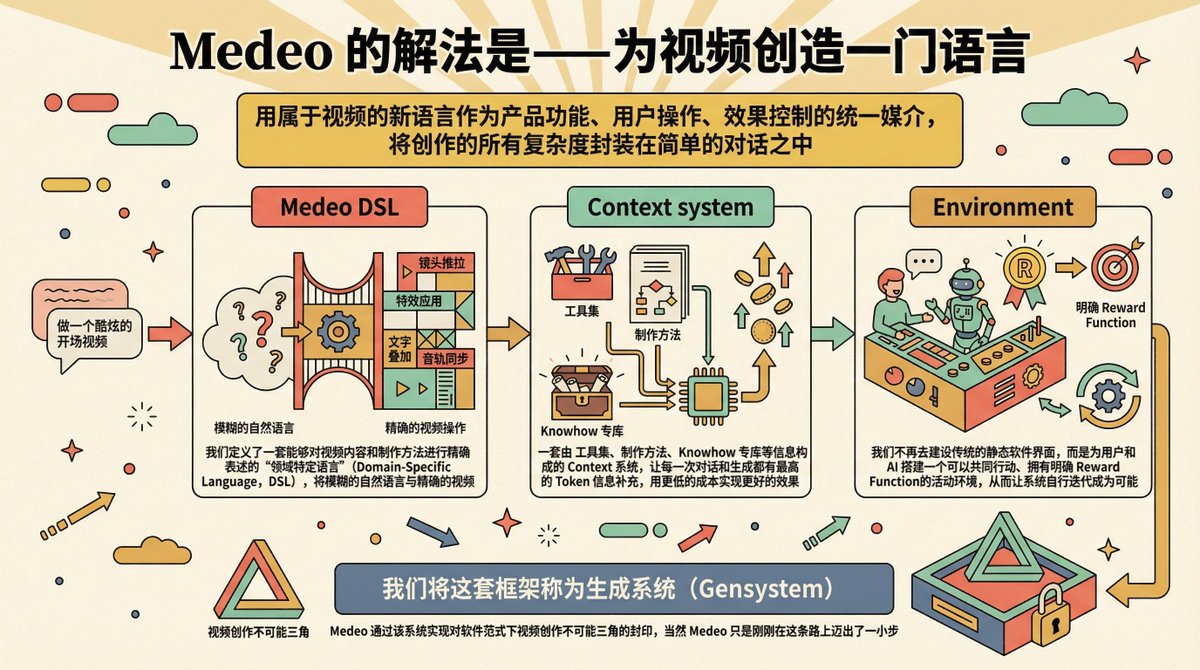
As I mentioned a few days ago, I have two principles for writing Medeo tooltips: Keep it as concise as possible, minimize the number of specific requirements, and make it as general as possible so that the prompt words can support more capabilities and more scenarios. However, what prompted me to implement these two approaches actually placed sufficiently high demands on the model itself and the entire Agent system. This system must be able to supplement the context itself, and at the same time possess a certain degree of intelligence, whether in image design, video editing, or video construction. Therefore, whether a system can support these two writing styles and principles can, to some extent, determine the system's context management capabilities, context acquisition capabilities, and level of intelligence.
I am very pleased to have such a product in the field of video domain certificates, which allows me to build such prompt words and use a single prompt word to complete the construction of a sufficient number of domains or capabilities. Thank you everyone, that's all for today.