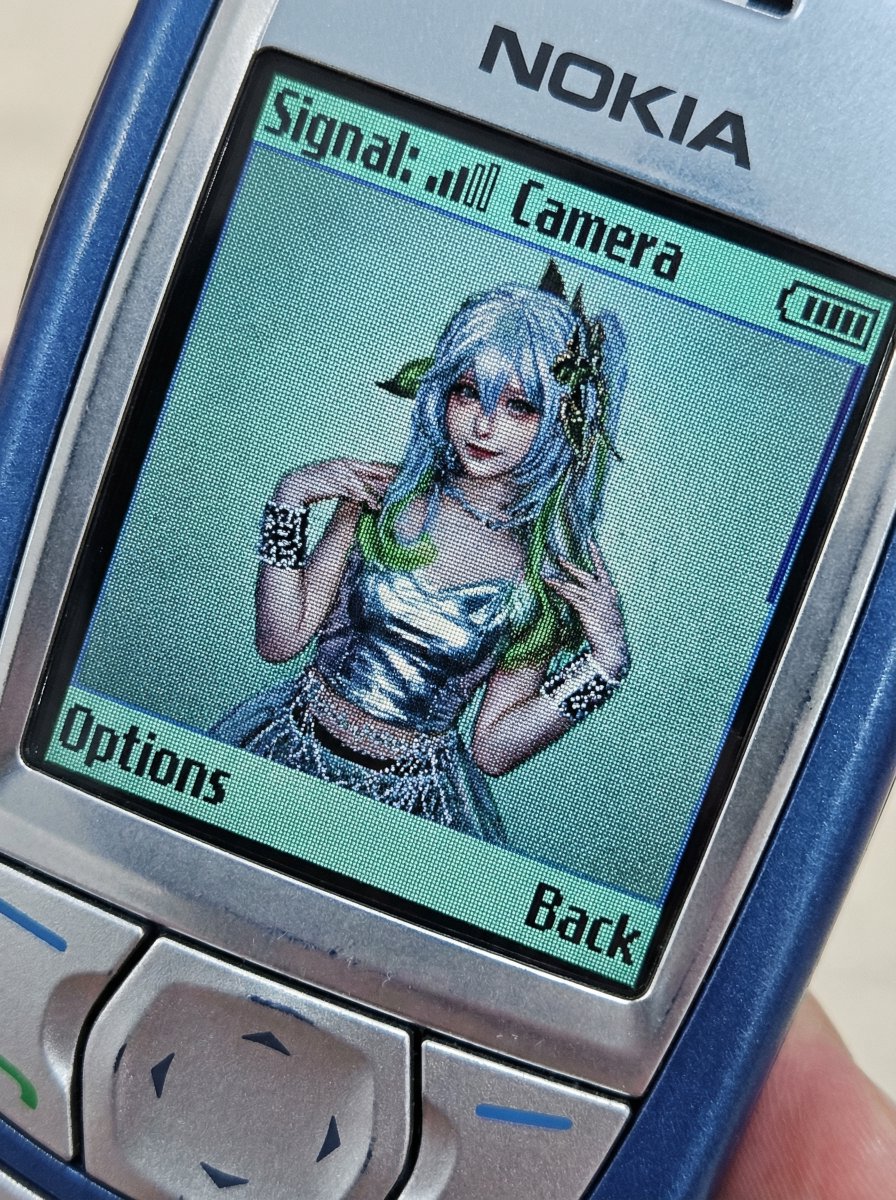
Nano Banana Pro Prompt: This app lets you put photos into a retro Nokia phone. Inspired by the original tweet, my version directly converts the photos into portraits and adds a retro UI to enhance the realism. --------------------------------- Command: Based on the accompanying photo, display the image on the retro phone's screen interface and apply a specific style change. Image Description: This is a candid, slightly tilted close-up of a retro Nokia phone (classic candybar design, such as the 6610 or similar early color screen models), casually placed diagonally in the frame. The low-resolution backlit LCD screen dominates the composition, filling most of the field of view. The surrounding sturdy plastic casing and the top area of the physical T9 keypad/navigation keys are only partially visible and are cropped at the edges of the image. Screen content: A real-time "camera preview" interface is displayed on the pixelated screen: Photo content: The accompanying photo features a person transformed into someone dressed in distinctly Y2K fashion (e.g., shimmering metallic fabrics, velvet sportswear, rhinestone details, or layered mesh fabrics). The entire scene exhibits a strong early camera phone aesthetic: a pronounced pixel grid (screen-door effect), a limited and slightly faded color palette, and blocky compression artifacts. Retro UI Overlay: Overlaying the photo view are low-resolution, monochrome Nokia user interface elements. Top edge of the screen: pixelated signal strength bar (left), "Camera" text (middle), and blocky battery icon (right). Bottom corner of the screen: soft-key label in blocky pixel font, displaying "Options" on the left and "Back" on the right. Atmosphere and Lighting: The screen emits a unique green-blue LCD backlight tone, with a faint light projected onto the surrounding plastic frame. The overall atmosphere is nostalgic, interactive, and presents a genuine Lo-fi technological feel. Parameter settings: Ratio: 4:5 vertical banner Camera perspective: Macro close-up of a retro mobile phone screen, handheld view Screen simulation: Early CSTN or TFT LCD screens, with visible pixelation and a distinctive green color shift. UI Elements: Retro low-resolution monochrome pixel icons and blocky text overlays. Content Transformation: Replace character clothing with Y2K millennial pop style. Color Grading: Low-saturation cool tones, digital noise, color jitter artifacts, screen fluorescence.